AI Agent
The AI assistant built into every workbook.
Overview
Every workbook has an AI agent built in. You describe what you need in plain English and the agent builds it — tables, automations, dashboards — from real data on the web.
The agent panel
Click the agent toggle in the top-right of the workbook header. A panel slides open on the right.
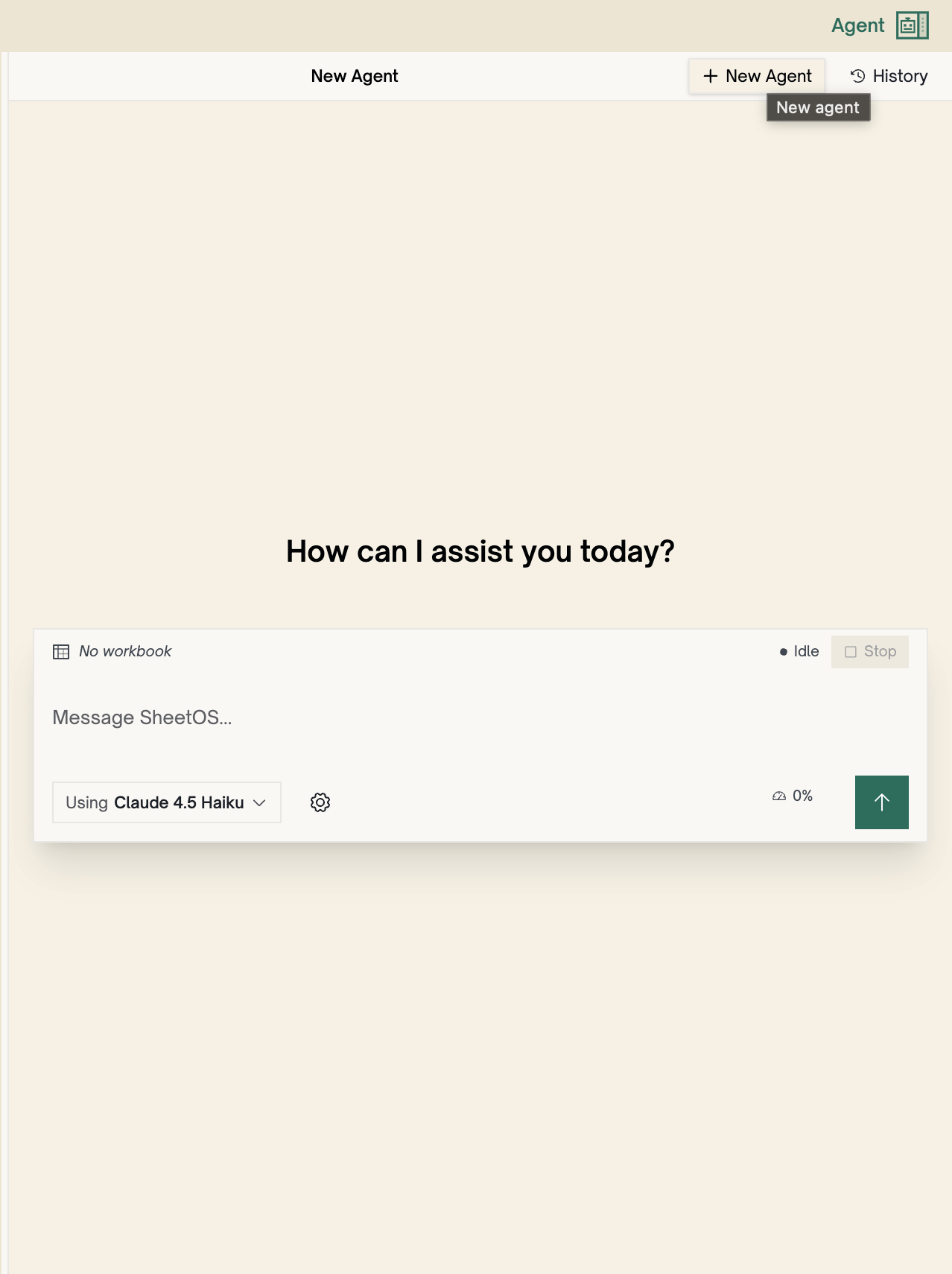
- Message area — type your prompt and press Enter to send
- Attach files — click + to attach CSVs, PDFs, or other files from your workbook
- Model selector — choose a faster model for simple tasks or a more capable one for research
- Stop — cancel the agent mid-run if it’s heading the wrong direction
- History — view past conversations, filter by workbook
Prompting tips
Be specific. “Find pricing on footlocker.com/product/nike-air-max” beats “find shoe prices.”
Give it URLs. If you know where the data lives, paste the URL. The agent goes straight there.
Ask for what you want, not how to get it. Say “get the pricing data from this page” — not “go to this page, click this button, find this element.”
Iterate. Tell the agent what to fix: “add a column for the product URL” or “only include items over $50.” It refines without starting over.
Next
Capabilities
What the agent can do — research, build, compute, and maintain.
Tools
The tools the agent uses to interact with your workbook and the web.
Planning
How the agent plans before it acts.