Spreadsheets rebuilt for the AI era.
The spreadsheet that AI agents actually want to work in.
Research anything, track everything, and never update a spreadsheet again.
Designed for the agent,
not wrapped around legacy software.
Other tools bolt AI onto spreadsheets that were never meant for it. SheetOS was built from scratch so the agent can do the work for you.
less manual work
Describe what you need. The agent builds the schema, gathers the data, and sets up automations to keep it current.
always running
Close the tab. The agent keeps working on a schedule — researching, extracting, updating. Come back to fresh data.
connectors needed
No integrations to set up. The agent researches the open web and structures the data for you. The web is the database.
01
Let the agent handle the work
Describe what you need. The agent researches the web, builds the tables, and populates the data. You watch it happen in real time.
02
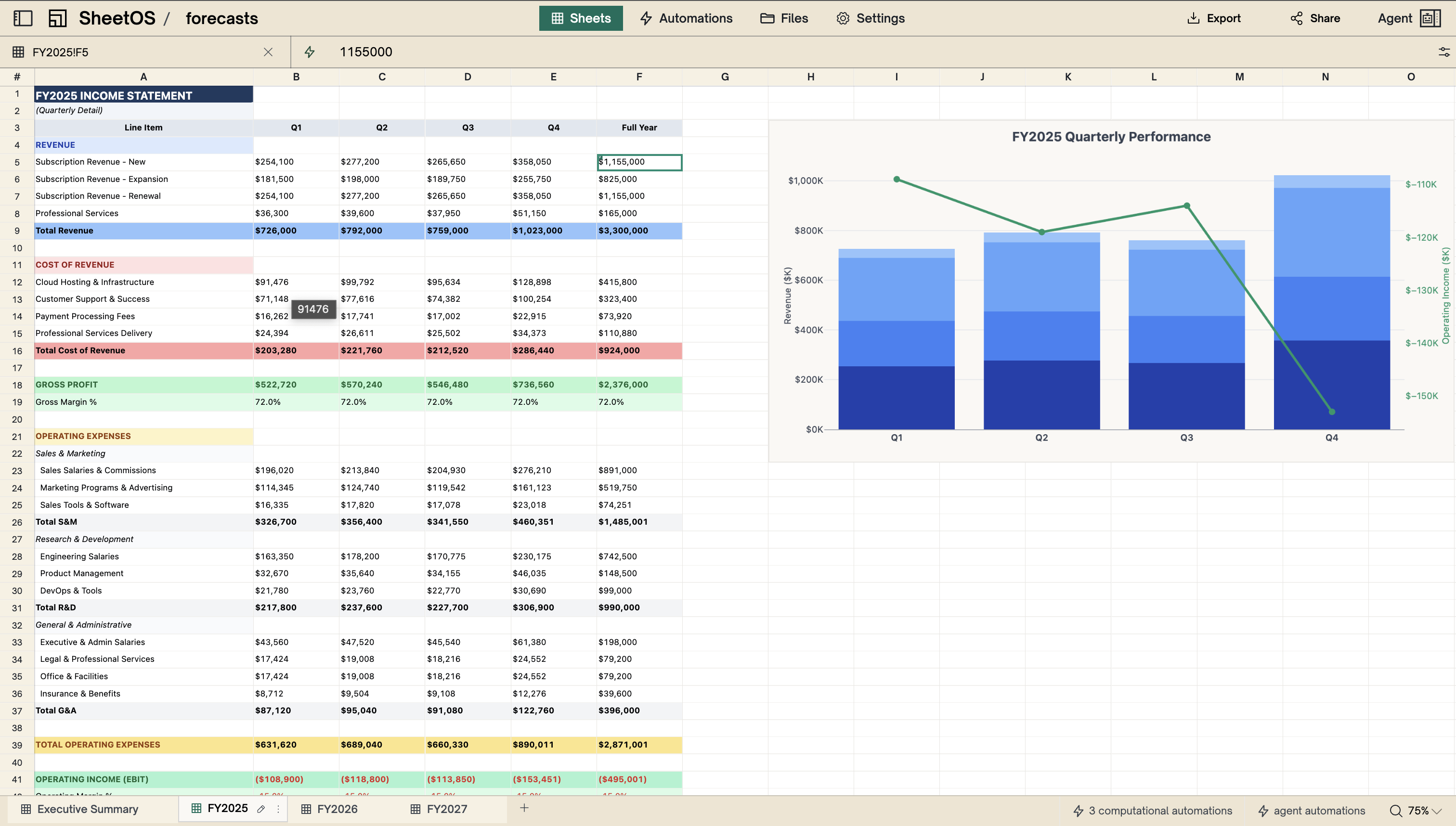
Change one number, everything recalculates
The engine tracks every dependency. Update a cell and all downstream values recompute instantly.
03
Your team sees it the moment it changes
Share a workbook and everyone works from the same live data. No exporting, no version conflicts.
Explore the product
Sheets
Users still need rows, columns, and formulas. But this grid is backed by a real database — so the agent can read and write to it like code, not like a human clicking cells.
Explore sheets →Tables
The agent needs to query, filter, and join data programmatically. A cell grid is opaque. Typed columns and SQL give it structured access.
Explore tables →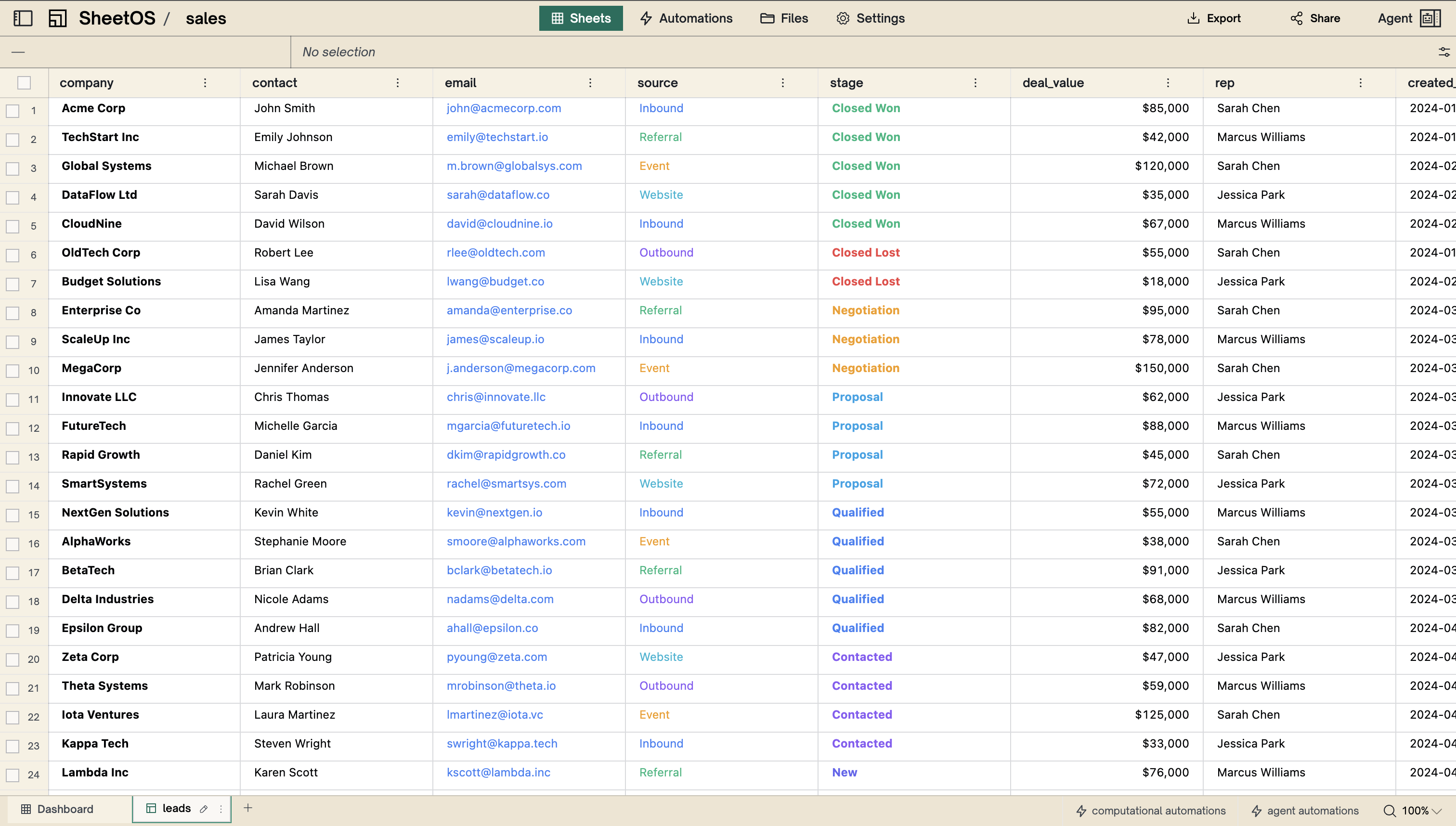
Built-in filesystem
Drop in a PDF, a spreadsheet, or a financial report. The agent reads it, extracts the data, and pulls it into your tables. No import wizard. No connectors. Just files.
Inside the workspace →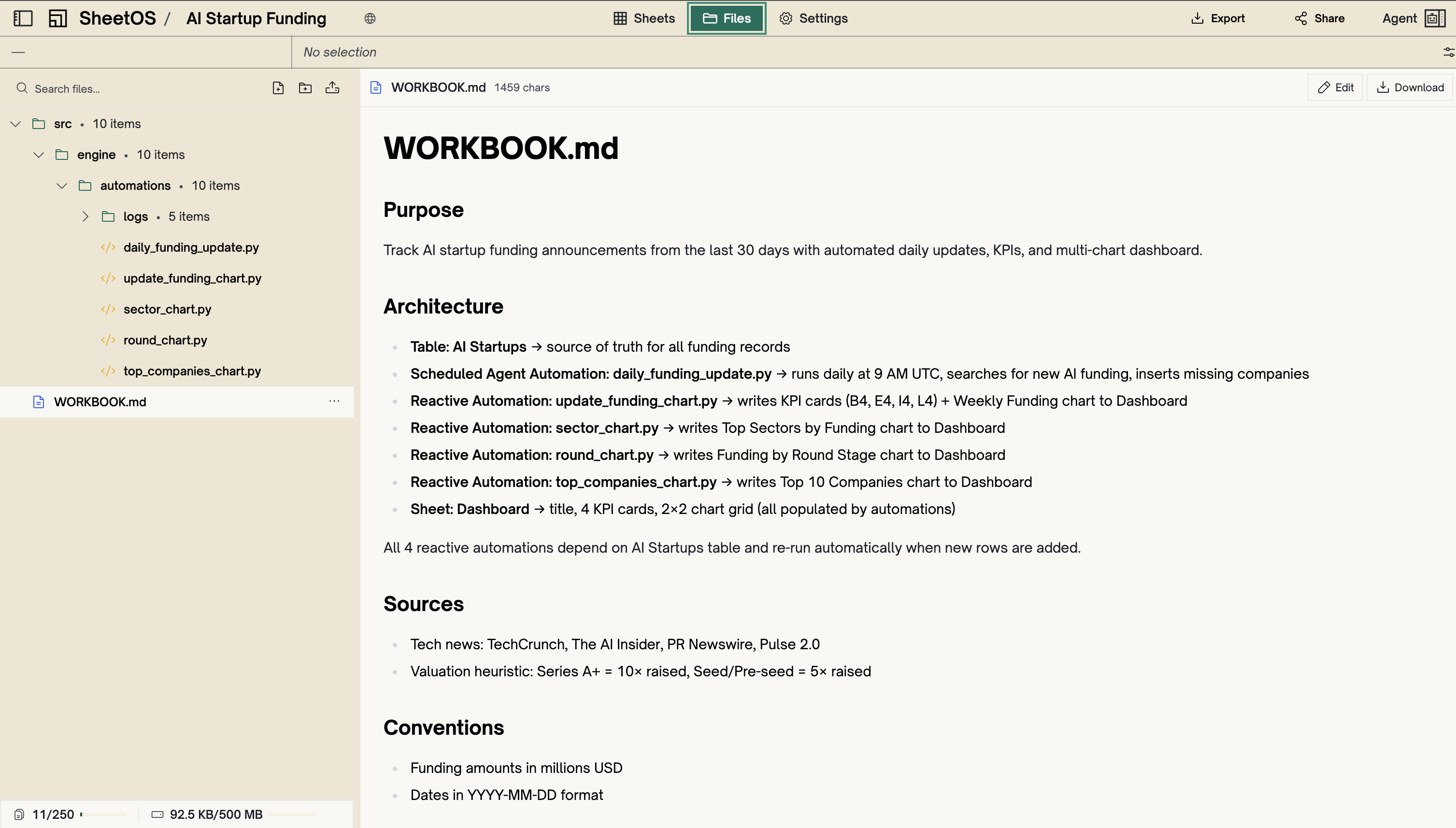
Automations
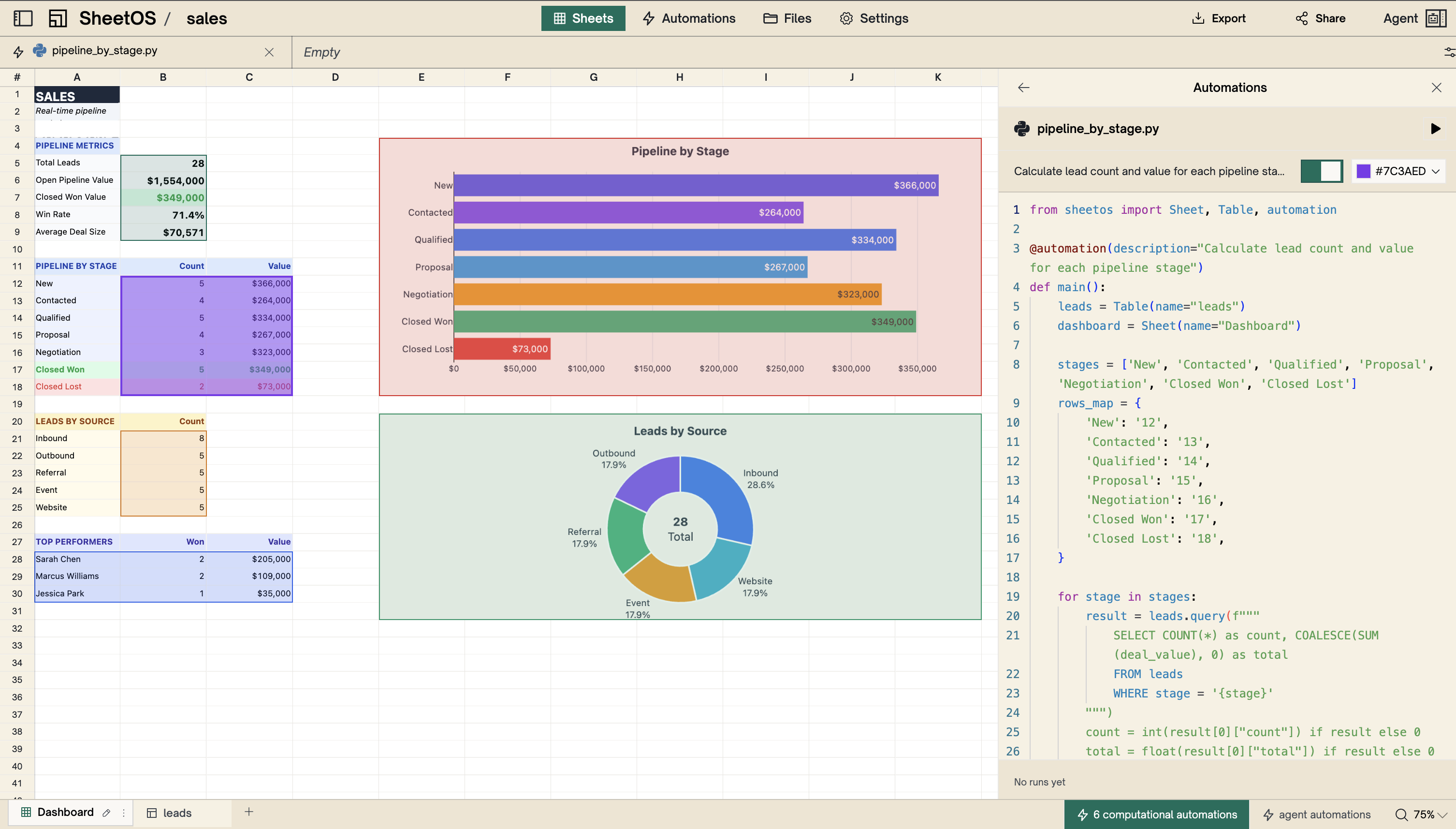
The agent wires dependencies once. Change a cell and everything downstream recalculates. No manual refresh. No stale data. The engine handles it.
How automations work →Background agents
Some jobs need a full AI agent — analyzing trends, enriching missing data, pulling fresh numbers from the web. Background agents run on a schedule, so the workbook updates itself.
Meet the agent →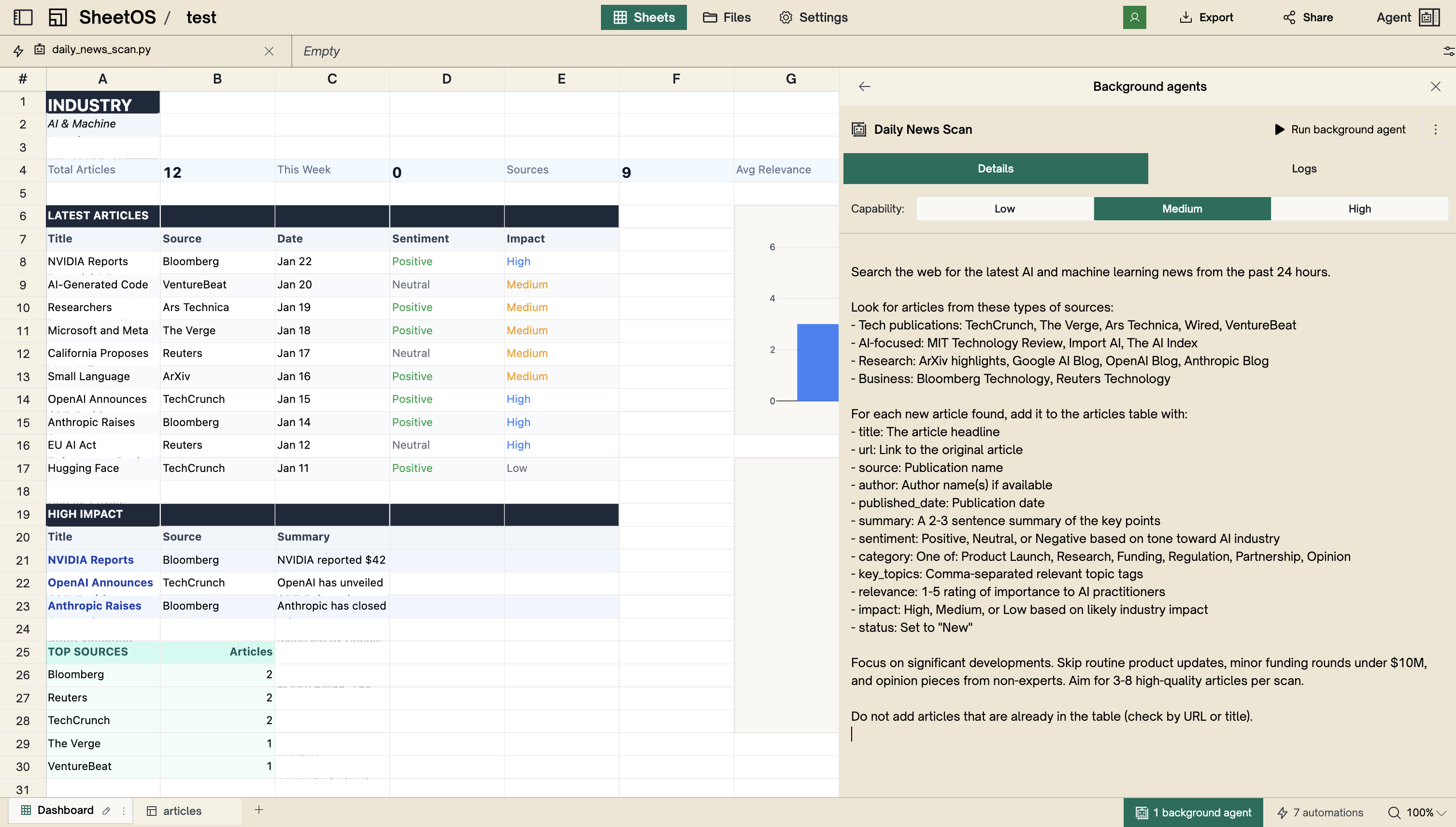
Build DCF models with live data
“I used to spend Sunday nights updating my competitor tracking sheet. Now I wake up Monday and it's already done.”
Sarah K.
Product Manager
“Built a DCF model with live revenue data in 20 minutes. My analyst intern took two days last quarter.”
James L.
Investment Analyst
“I described what I needed in two sentences. Five minutes later I had a structured dataset with 200 rows of real data.”
Daniel F.
Founder
“I manage workbooks through MCP while writing code. Create a table, populate it with data, set up automations — without leaving the editor.”
Claude Opus 4.6
AI Agent
“I used to spend Sunday nights updating my competitor tracking sheet. Now I wake up Monday and it's already done.”
Sarah K.
Product Manager
“Built a DCF model with live revenue data in 20 minutes. My analyst intern took two days last quarter.”
James L.
Investment Analyst
“I described what I needed in two sentences. Five minutes later I had a structured dataset with 200 rows of real data.”
Daniel F.
Founder
“I manage workbooks through MCP while writing code. Create a table, populate it with data, set up automations — without leaving the editor.”
Claude Opus 4.6
AI Agent
“We replaced three Zapier workflows and a Google Sheet with one SheetOS workbook. It just runs.”
Marcus T.
Operations Lead
“The agent pulled pricing from 40 vendor websites overnight. I would have spent a week on that.”
Priya R.
Procurement Manager
“Our fundraising pipeline updates itself now. Every morning the team has fresh numbers without anyone touching it.”
Elena M.
Chief of Staff
“We replaced three Zapier workflows and a Google Sheet with one SheetOS workbook. It just runs.”
Marcus T.
Operations Lead
“The agent pulled pricing from 40 vendor websites overnight. I would have spent a week on that.”
Priya R.
Procurement Manager
“Our fundraising pipeline updates itself now. Every morning the team has fresh numbers without anyone touching it.”
Elena M.
Chief of Staff
Your productivity is only as good as what your agent runs on.
Usage-based pricing. No subscription. No credit card required.