Tables
Structured databases with named, typed columns for organized, queryable data.
Overview
Tables are structured databases with named, typed columns. Each row is a record, each column has a defined data type. This keeps data clean, sortable, and queryable.
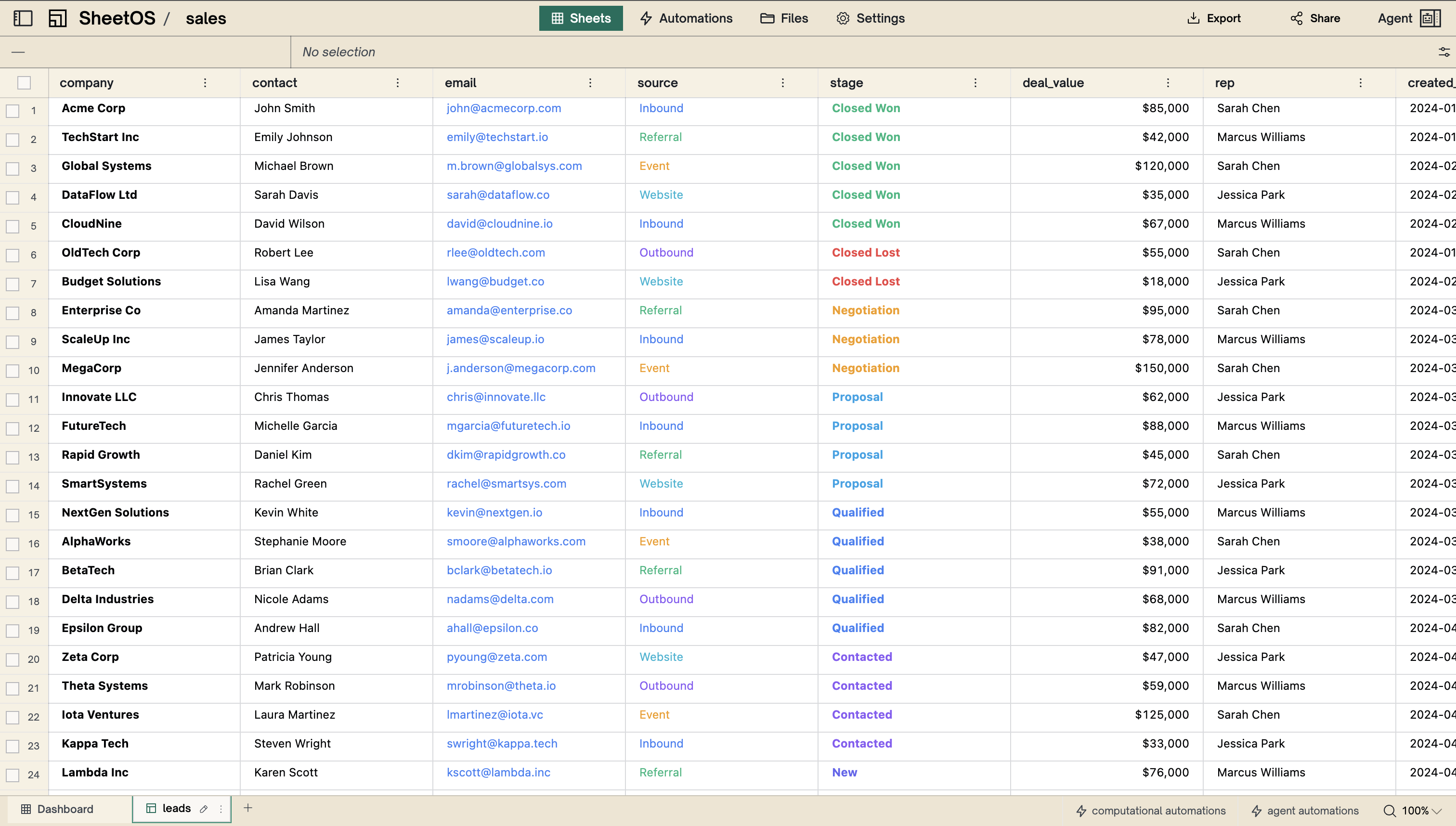
Use cases
- Lists of things — companies, products, job postings, prices
- Structured records — anything with consistent fields across rows
- Data you want to filter or sort
Example: A “Competitors” table with columns for Company, Website, Employee Count, and Last Funding Round.
Columns
Each column has a name and a data type. The type determines what kind of values the column accepts.
| Type | Stores | Example |
|---|---|---|
| Text | Any text | ”Acme Corp”, “New York” |
| Integer | Whole numbers | 42, 1000 |
| Number | Decimal numbers | 3.14, 99.99 |
| Boolean | True or false | true, false |
| Date | Calendar date | 2025-03-15 |
| Datetime | Date and time | 2025-03-15 09:30:00 |
| URL | Web links | https://example.com |
| List | Multiple values | [“red”, “blue”, “green”] |
| JSON | Structured data | {“key”: “value”} |
Columns can be added, renamed, retyped, or deleted from the column header context menu.
Sorting and filtering
Click a column header to sort the table by that column. Click again to reverse the sort order.
Use the filter bar above the table to narrow down visible rows — for example, show only rows where Status is “Active” or where Price is greater than 100. Filters hide rows without deleting them.
Next
Sheets
Free-form grids for calculations, summaries, and dashboards.
Automations
Background tasks that keep your data computed and fresh.