Python Automations
Reactive calculations written in Python that re-run when their inputs change.
Overview
Python automations are reactive calculations. They read from cells or tables, compute a result, and write it back. When any input changes, the automation re-runs instantly.
Any .py file in the src/engine/automations/ folder is automatically an automation. No registration needed.
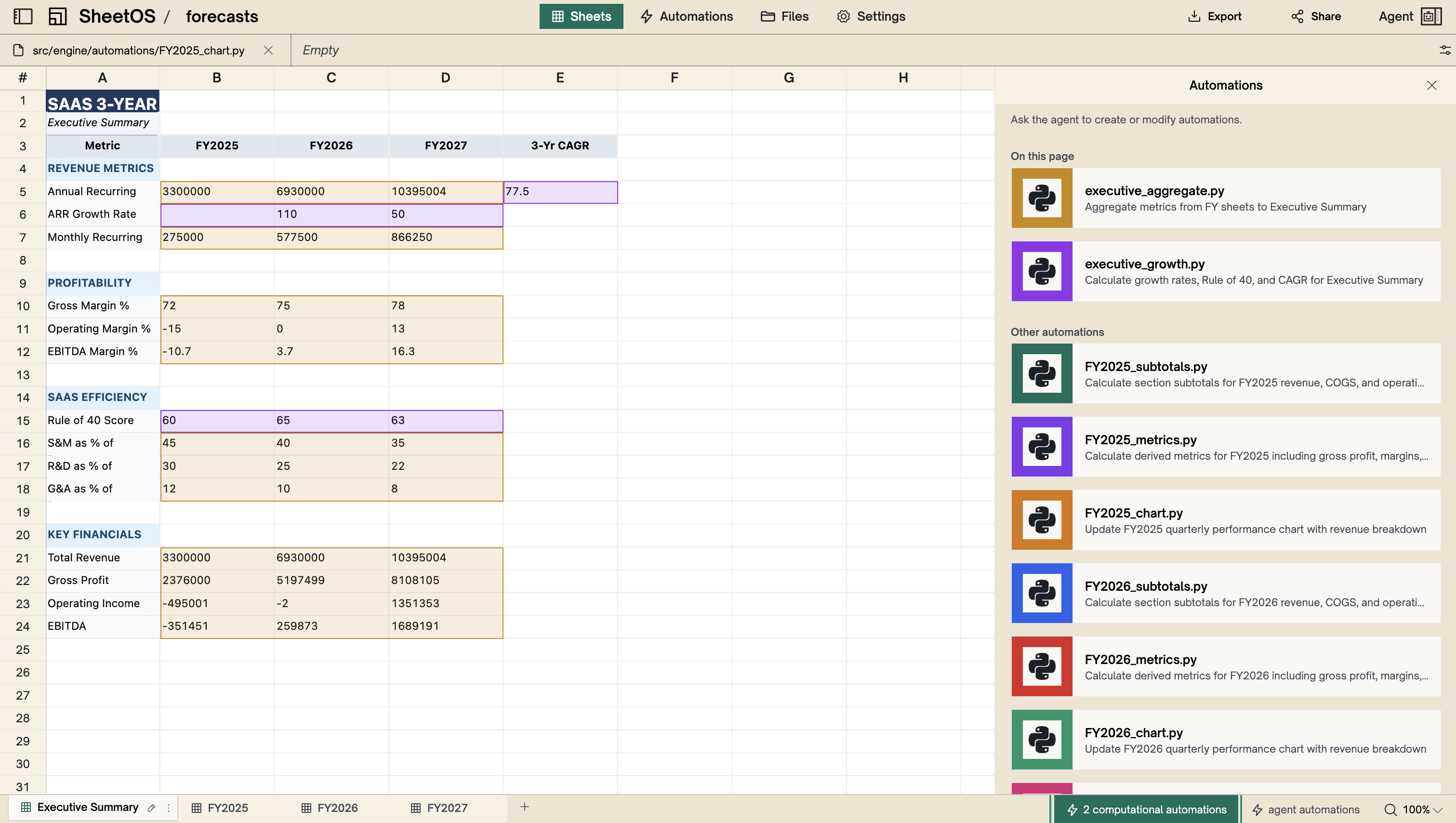
Example
A script that reads revenue and costs from a table, calculates profit margin, and writes the result to a summary sheet. When any row changes, the margin updates automatically.
from sheetos import Sheet, Table, automation

@automation(description="Calculate profit margin")
def main():
    orders = Table(name="orders")
    rows = orders.query("SELECT SUM(revenue) as rev, SUM(cost) as cost FROM orders")

    revenue = rows[0]["rev"] or 0
    cost = rows[0]["cost"] or 0
    margin = ((revenue - cost) / revenue * 100) if revenue else 0

    sheet = Sheet(name="summary")
    sheet["A1"].set_value("Profit Margin")
    sheet["B1"].set_value(f"{margin:.1f}%")
    sheet.commit("Update profit margin")

main()
Chaining
Automations can chain. If automation A writes to a cell that automation B reads, updating A’s input cascades through both — in the right order, automatically.
Note
Python automations use the SheetOS Python SDK. They can read from sheets, tables, and files — and write computed results back.
Detail panel
Click a Python automation in the automations panel to see:
- A read-only code preview showing the Python source
- Enable/disable toggle
- Color selector
- Run button
- Last run result (success/fail, duration, trigger type, timestamp)
Warning
If a Python automation has a bug in its code, it will fail each time its dependencies change. Disable it in the panel to stop repeated failures.
Next
Background Agents
Scheduled tasks that run an AI agent on a prompt.
Recalculation Engine
How dependencies are tracked and cascading updates work.