Sheets
Free-form grids for calculations, summaries, dashboards, and manual data entry.
Overview
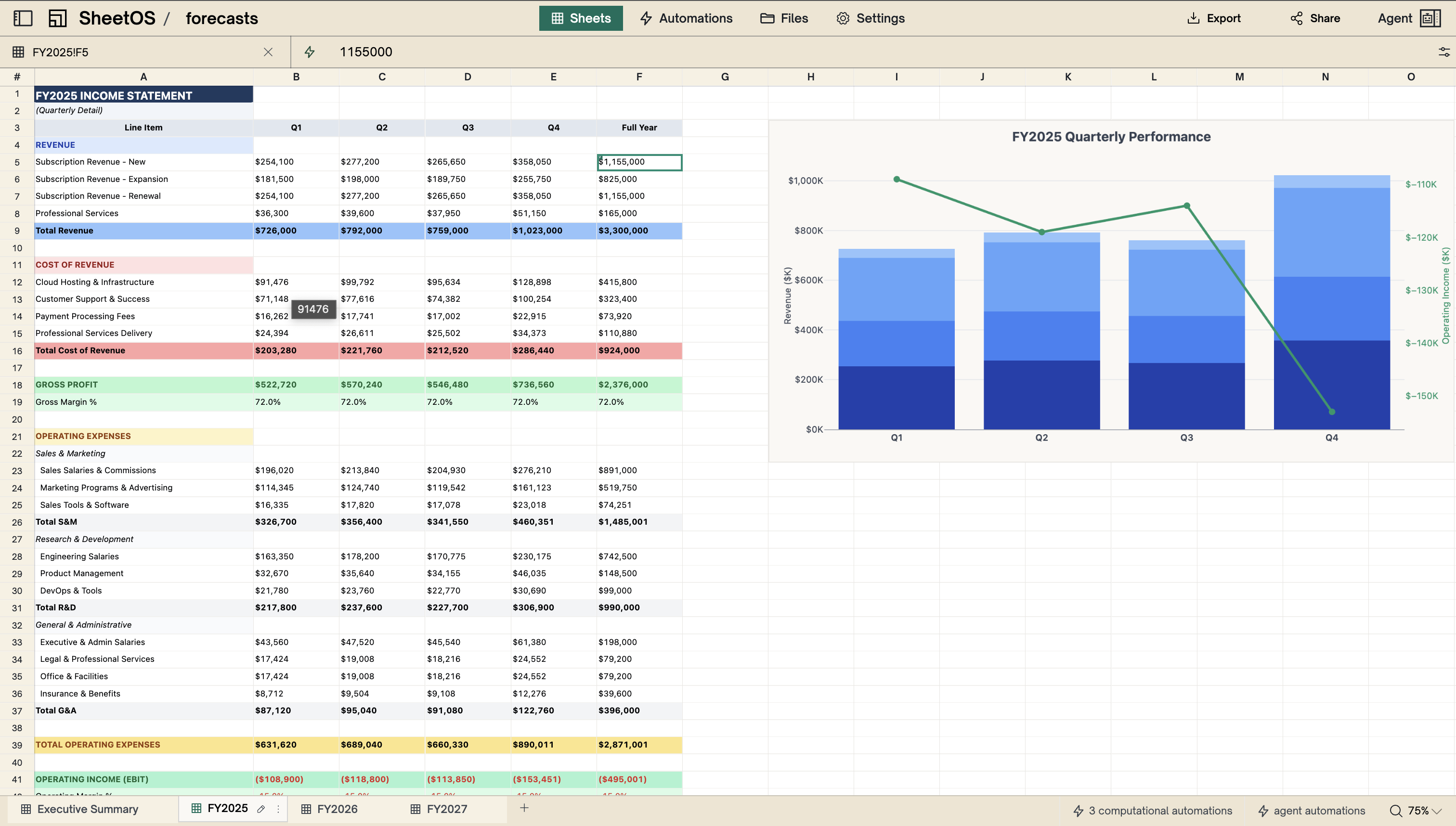
Sheets are free-form grids where every cell is addressed by column letter and row number — A1, B2, C3. You can put any value in any cell: text, numbers, dates, URLs. There are no predefined columns or types. You decide the layout.
Sheets are typically where computed results and summaries live. Automations read data from tables, calculate something, and write the output to a sheet. They’re also useful for manual data entry and configuration values.
Use cases
- Dashboards and summaries — totals, averages, and KPIs computed from your tables
- Calculations — growth rates, rankings, aggregations
- Manual data entry — notes, labels, free-form content
- Configuration — tax rates, thresholds, targets that automations reference
Cell detail panel
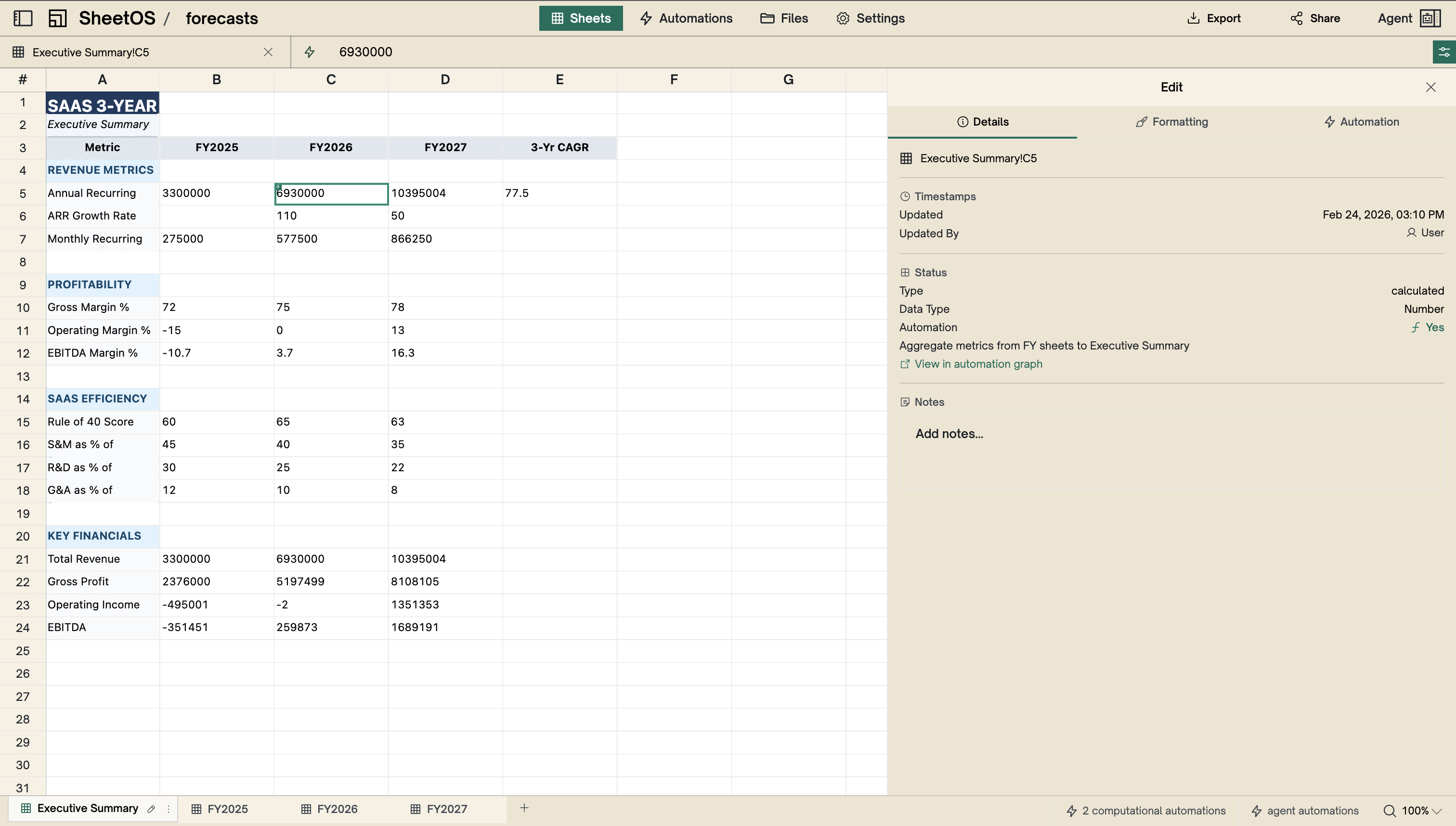
Click any cell to open the cell detail panel on the right side of the screen. From here you can view and edit the cell’s value, formatting, and notes.
Formatting
Cells support formatting through the cell detail panel:
- Bold, italic, underline — text emphasis
- Text color and background color — highlight important values
- Text alignment — left, center, right, or justify
- Font size — adjust for headers or emphasis
- Cell merging — span a cell across multiple rows or columns, useful for section headers
Tables and sheets together
The most common pattern in SheetOS: tables hold structured data, sheets summarize it.
A Sales table holds deal records. An automation reads the table, calculates totals and averages, and writes the results to a Dashboard sheet. When the table updates, the automation re-runs and the dashboard updates automatically.
This is the core loop: tables store raw data, automations compute, sheets display results.
Quick comparison
| Tables | Sheets | |
|---|---|---|
| Structure | Named, typed columns | Free-form grid |
| Addressing | Column names | A1, B2, C3 |
| Best for | Structured records | Calculations and summaries |
Next
Tables
Structured databases with named, typed columns.
Automations
Background tasks that keep your data computed and fresh.