Background Agents
Scheduled tasks that run an AI agent on a prompt you define.
Overview
Background agents are scheduled tasks that run an AI agent on a prompt you define. They go out, research, and update your data on a timer — without you being there.
- When they run — on a schedule (daily, hourly, weekly) or manually
Example prompts
A background agent is just a prompt that runs on a timer. Some examples:
- “Update the competitor pricing table with current prices from their websites.”
- “Check for new job postings on stripe.com/jobs and add any new ones to the jobs table.”
- “Refresh the weather data for all cities in the locations table.”
Each run, the agent reads the prompt, looks at the current workbook state, and does whatever work is needed.
Capability levels
Each background agent has a capability level that controls how much compute it uses:
| Level | Best for |
|---|---|
| Low | Simple updates — refresh a few rows, check a single source |
| Medium | Standard research — multiple sources, moderate complexity |
| High | Deep research — many sources, complex analysis, large datasets |
Detail panel
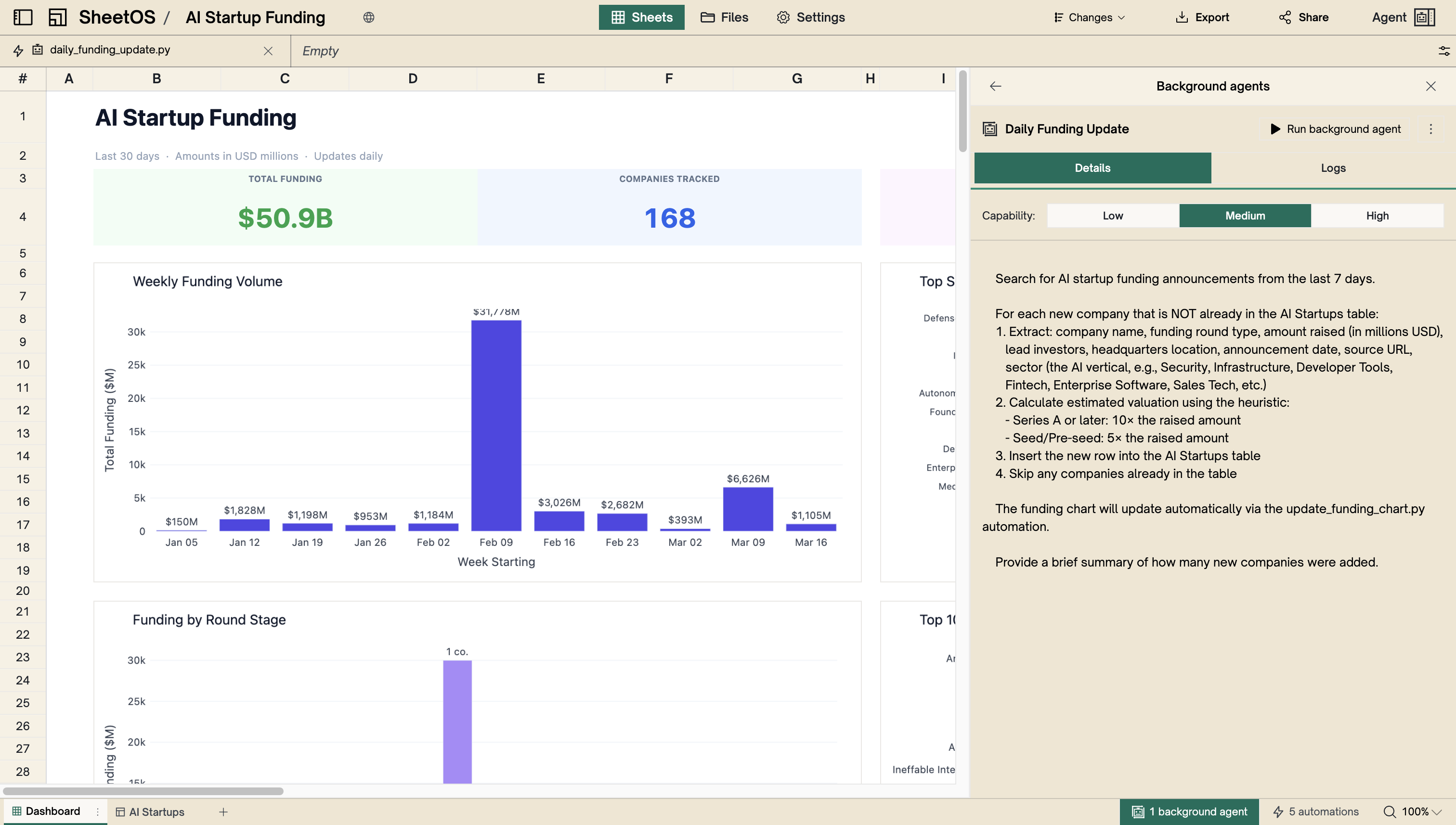
Click a background agent in the automations panel to see:
- An editable prompt field — the instructions the agent follows each run
- Capability level selector (Low / Medium / High)
- Schedule configuration
- Enable/disable toggle
- Color selector
- Run button
- Last run result, with a View agent run link to see what the agent did
Next
Python Automations
Reactive calculations that re-run when inputs change.
Recalculation Engine
How dependencies are tracked and cascading updates work.